Multiple Storefronts
The advanced-pricing mode is available on the Revenue and higher plans.
Storefront Definition
A Storefront is a set of template files in a specific folder, which comprise the visible frontend of a shop that is accessible by the shoppers via a web browser.
Every Vanilo Cloud instance comes with the default storefront, which is placed in the shop repository's
resources/views/ folder.
What Is Multi-Storefront?
By default, Vanilo Cloud supports a single storefront, but it is possible to define more than one storefront and assign them to a domain. As a result, when accessing the website via the given domain, it will be rendered using the template files of the assigned storefront.
This feature can be used for having multiple sites that work from a common database, but have a different layout, look, settings and logic assigned.
Example
Let's say you have 2 domains: myshop.nl and myshop.be, and they are added to your shop account:
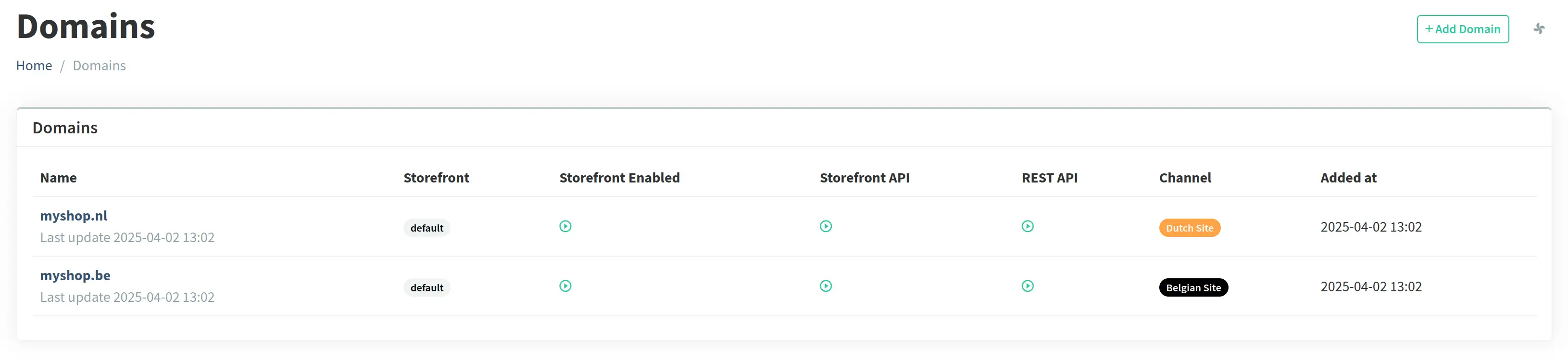
Afterward, define two storefronts in the config/storefronts.json file:
{
  "dutch": {
    "folder": "resources/storefronts/dutch",
    "namespace": "nl"
  },
  "belgian": {
    "folder": "resources/storefronts/belgian",
    "namespace": "be"
  }
}
Now, you can assign the storefronts to your domains in the Admin interface:
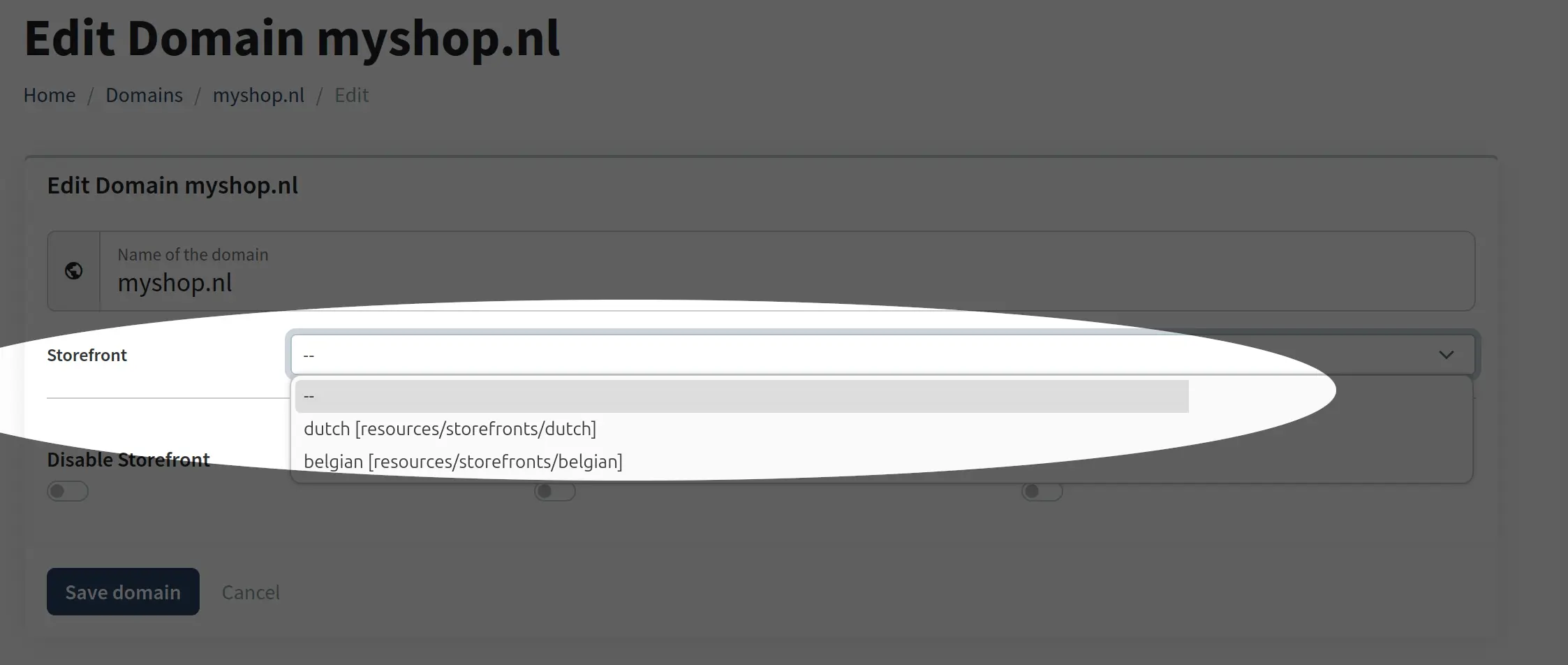
Having this setup, you'll be able to use different layouts/views for the different domains.
This feature can be perfectly combined with domains-to-channel binding which enables you to further customize the settings and the logic of a given site/channel.
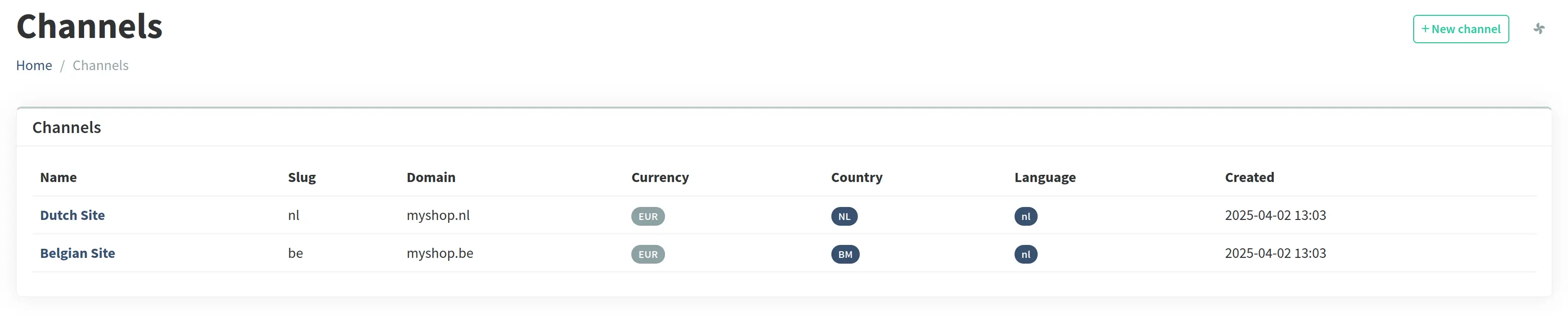
StoreFront Configuration
The storefronts need to be defined in the shop repository's config/storefronts.json file.
Here's a sample configuration with all the possible entries:
{
  "b2b-site": {
    "folder": "resources/storefronts/b2bsite",
    "namespace": "b2b",
    "engine": "blade",
    "inject": {
      "home": {
        "products": "product.latest(4)",
        "brands": "taxonomy.bySlug(brands)"
      },
      "info": {
        "summer-sale-2025": {
          "featured": "product.bySkus(ER650MPFNN,EJ800EPFNN,ZR900NPFNN)"
        }
      },
      "*": {
        "menu": "taxonomy.bySlug(categories)"
      }
    }
  },
  "wholesale": {
    "folder": "resources/storefronts/enmass",
    "namespace": "wholesale"
  }
}
The sample above contains two storefronts b2b-site and wholesale. The exaplanations below apply to the B2B site:
- The root folder of this storefront is the shop repo's
resources/storefronts/b2bsitefolder. - The template files within the folder have the same structure as described at the Route List and at the Templates Section.
- The namespace of this storefront is
b2b, i.e. the home page can be referenced asb2b::home(blade) or@b2b/home(twig). - The engine of this storefront is blade (
twigcan be defined as well). - The
inject {}section contains the variables that are injected into various views. - The
$productsand$brandsvariables will be injected into thehome.blade.phptemplate. - The
$featuredvariable containing the 3 given products will be injected into theinfo/summer-sale-2025.blade.phpview. - Every view of this storefront will have the
$menuvariable injected which contains thecategoriestaxonomy (can be typically used for layouts).